Videotronic Super 8 Repeater Projector
Projector
Videotronic Super 8 Repeater Projector
ca 1967
Wood, metal, plastic, rubber and glass
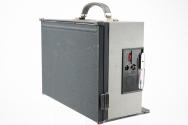
Overall (closed): 13 1/4 × 7 5/8 × 15 in. (33.7 × 19.4 × 38.1 cm)
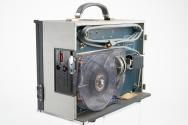
Overall (open): 13 1/4 × 18 × 19 1/4 in. (33.7 × 45.7 × 48.9 cm)
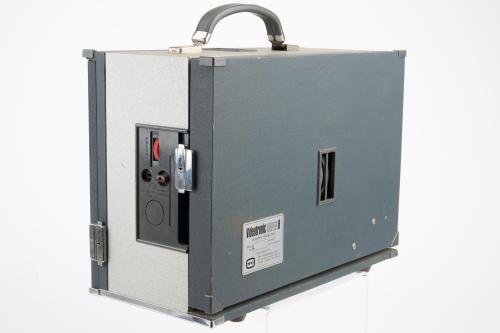
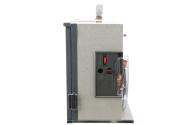
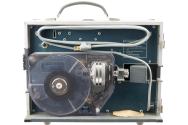
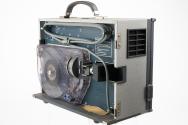
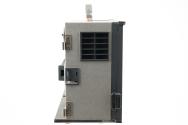
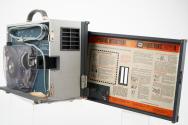
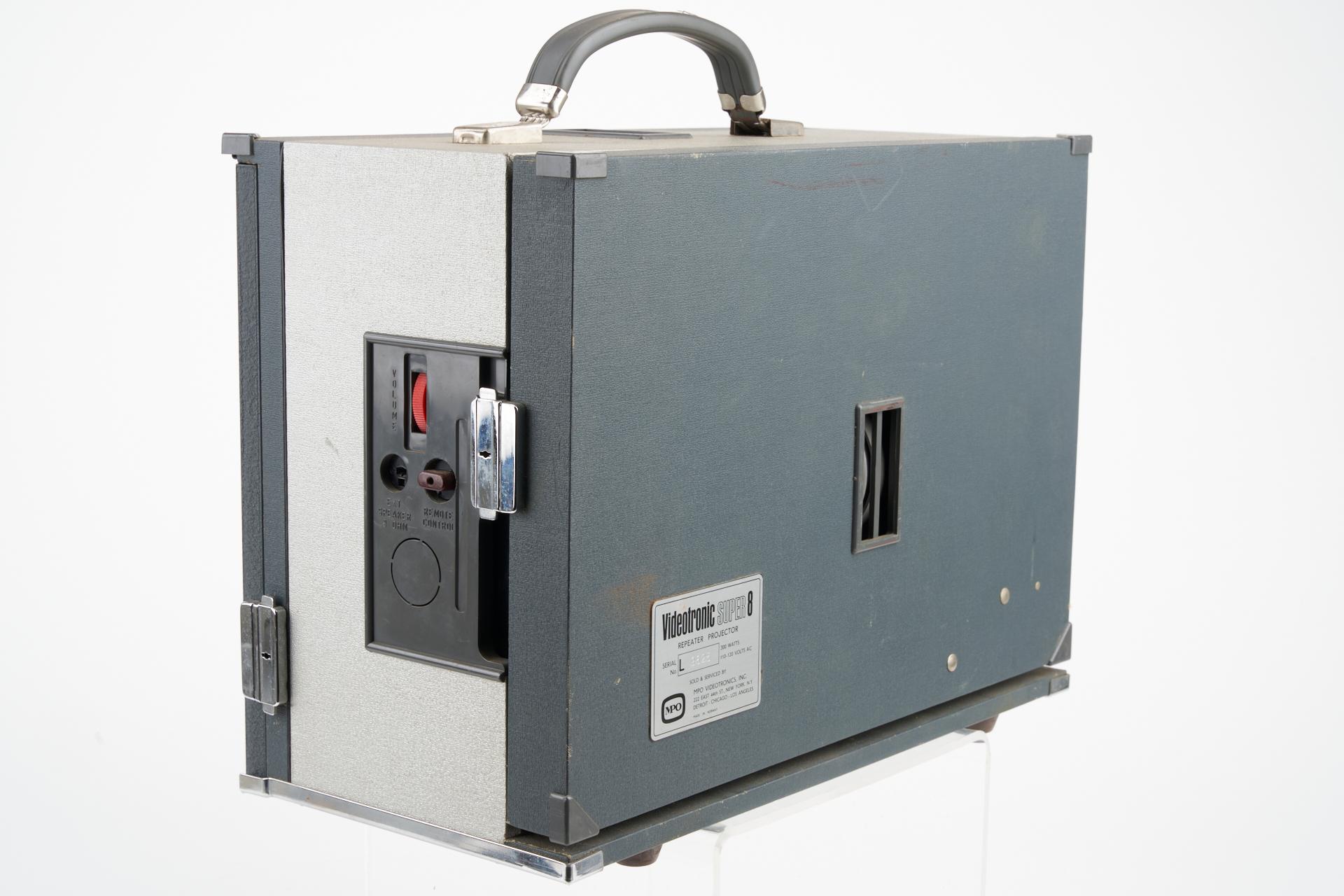
DescriptionSerial #9625 Two-toned grey, rectangular, Super 8 sound, electric motion picture projector with rear projection and built-in screen, front projection, Dynamic Optics 6.5mm f/1.8 projection lens, 150 watt lamp, film cartridge, continuous loop, magnetic sound head, remote control jack, external speaker jack, framing, elevation, film gate brush and rubber grey handle. The magazine accepts 600 feet of film.
Inscriptions Printed in black on chrome label on door on right side of projector: Videotronic SUPER 8 REPEATER PROJECTOR SERIAL No. L 300 WATTS 110-120 VOLTS AC SOLD & SERVICES BY MPO VIDEOTRONICS, INC. 232 EAST 44TH ST., NEW YORK, NY DETROIT - CHICAGO - LOS ANGELES MADE IN NORWAY / Stamped in chrome on label on door on right side of projector: 9625 / Printed in silver on plate behind door on right side of projector: WALL SCREEN PROJECTION: 1. PUSH MIRROR HOLDER TO EXTREME RIGHT. 2. REMOVE REAR SCREEN LENS. 3. PUSH MIRROR HOLDER TO EXTREME LEFT. 4. INSERT WALL SCREEN LENS IN PROJECTOR. REAR SCREEN PROJECTION: REVERSE ABOVE PROCEDURE / Printed in silver above, behind and in front of lamp switch on right side of projector: LAMP, LOW, NORM. / Embossed in clear plastic on film cartridge: Videotronics SUPER 8 Cartiridge / Printed in silver on label on cartridge: Videotronics SUPER 8 REPEATER PROJECOTR MAGAZINE SOLD & SERVICED BY MPO VIDEOTRONICS, INC. 461 PARK AVE. SOUTH NEW YORK, N.Y. 10016 DETROIT CHICAGO HOLLYWOOD PATENT PENDING / Printed in red above control lever slot on cartridge: ON, OFF / Typed in black on white label on top of cartridge: HYDRO -TRACT CYCL. for AUTO. SHUT OFF / Printed in silver behind cartridge on right side of projector: TO INSERT CARTRIDGE: PLACE CONTROL LEVER IN "OFF" POSITION. / Printed in silver below motor control lever on right side of projector: CONTROL LEVER OFF / Embossed in grey left of red volume dial on back of projector: VOLUME / Embossed in grey below speaker jack on back of projector: EXT. SPEAKER 8 OHM / Embossed in grey below brown remote control jack: REMOTE CONTROL / Printed in black and orange under door on right side of projector: OPERATING INSTRUCTIONS MPO VIDEOTRONIC SUPER 8 PLEASE READ ALL INSTRUCTIONS BEFORE USING MACHINE. HOW TO USE PROJECTOR SELF CONTAINED REAR VIEW SCREEN Step 1-Open case door with name plate on it. Unwind cord, plug into 110-115 volt AC. Step 2-Use 6.5mm lens. Be sure mirror is seated so that lens projects image into mirror. Step 3-On opposite side of case, release both side catches and pull open self-enclosed screen. Be sure it seats to left as shown. Step 4-Insert film magazine. (See instructions) FRONT PROJECTION ON WALL SCREEN Step 1-Change lens. Regular 25mm (or optional 20mm) lens must be used. While there is no lens in projector, push mirror into machine, out of way. Step 2-Depress elevation lever, raise projectork and then release lever to hold elevation. Step 3-If extension speaker is to be used, plug into jack on control panel. Step 4-Insert film magazine. (See instructions.) Do not use this machine as a continuously operating display device. Such use will cause undue wear on both machine and film. IMPORTANT: In normal operation, when the control lever is placed in "on" position the projector will immediately begin to advance the film smoothly. If at any time you get an unsteady picture or lose a film loop, IMMEDIATELY push control lever down to "off" position. Simply push back to "on" position to rethread machine. CONCERNING THE FILM: This machine accepts Super 8 sound film only with SMPTE-approved sound advance of 18 frames. Film should be protective coated by MPO. If your film becomes excessively dirty after extensive use, MPO can clean and recoat it, for further useful service. Eastman color or b&w stock gives most satisfactory service. Reversal prints should be avoided if possible as they have a tendency to warp. a. Check film operation in magazine. If film in magazine has not been run for a day or more it may acquire a temporary "bend" or "set" where it goes around rollers. b. To avoid any possibility of "bend" trouble, do the following: Hold magazine with track facing you. Check to see that film is around all rollers and sprocket surfaces. The revolve the center plastic drive sprocket so that the film rpogresses through the magazine in the diretion of the etched arrow. Insert fingers in the flanges until about 12" of film has moved through magazine, which will eliminate all temporary "bends". HOW TO INSERT MAGAZINE AND TURN PROJECTOR "ON" AND "OFF" Step 1-Place "Control Lever" in "off" (down) position. Step 2-To insert magazine in projector rest magazine on inside canse edge as shown. Slowly and carefully push into magazine using etched outline of magazine as placement guide. 3-Push control lever up to "on" position to start projector. Step 4-Adjust focus by rotating lens in barrel holder. 5-Adjust volume by rotating "volume control" on side of projector. HOW TO USE AUTOMATIC CYCLING SYSTEM Step 1-FIlm ust be precisely notched by MPO at stop points. Step 2-If "cycling cord" is used insert in "Remote COntrol Jack". (Some special machines use "cycling switch" instead of cord.) Step 3-Place in operation in normal manner. Step 3-Place in operation in normal manner. Step 4-When projector automatically cycles "off" it is re-cycled by pressing button on end of cycling cord or cycling switch. (COntrol lever inside projector is always in "On" position when using cycling system.) Step 5-An accessory "Cycling Bypass Plug" is supplied with your projector. When inserted in the "remote control" jack on the control panel, it deactivates the cycling system and allows machine to be turned on and off with the interior "control lever." STORAGE UNDER EXTREMELY HOT OR COLD CONDITIONS HEAT: High temperatures won't hurt the machine-but it will ruin the film. (In summer, the trunk of your car if not the place to keep your loaded projector.) COLD: In wintertime, allow machine to warm up to room temperatures before starting. PROJECTION LAMP The Videotronic Super 8 uses a quartz DNF 150 watt 21 volt lamp. The bulb will burn approximately 25 to 35 hours on the "normal" voltage setting (lamp switch on the inside of the projector) and considerably longer on the "low" setting. To change a lamp, unscrew the chrome-plated knob holding the lamphouse in place, remove lamphouse, withdraw old lamp and insert replacement lamp. Replace lamphouse, making certain the chrome-plate knob is snug. GENERAL MAINTENANCE Lenses, mirro and sound roller, pick-up head and guides should ne cleaned with a lintless lens tissue when necessary. Film gate may be cleaned with gate brush provided with the projector. The projector is permanently lubricated, so no oiling is necessary. FOR FURTHER INFORMATION CALL OR WRITE TO: MPO Viseotronic Projector Corp. 461 Park Avenue South, New York, N.Y. 10016 Telephone: (212) 867-8200. Ext. 252 528 N. Michigan, Chicago, Illinois 60611 Telephone: (312) 527-3680 5400 Cahuenga Boulevard North North Hollywood, California 91601 Telephone (213) 985-7310